Home
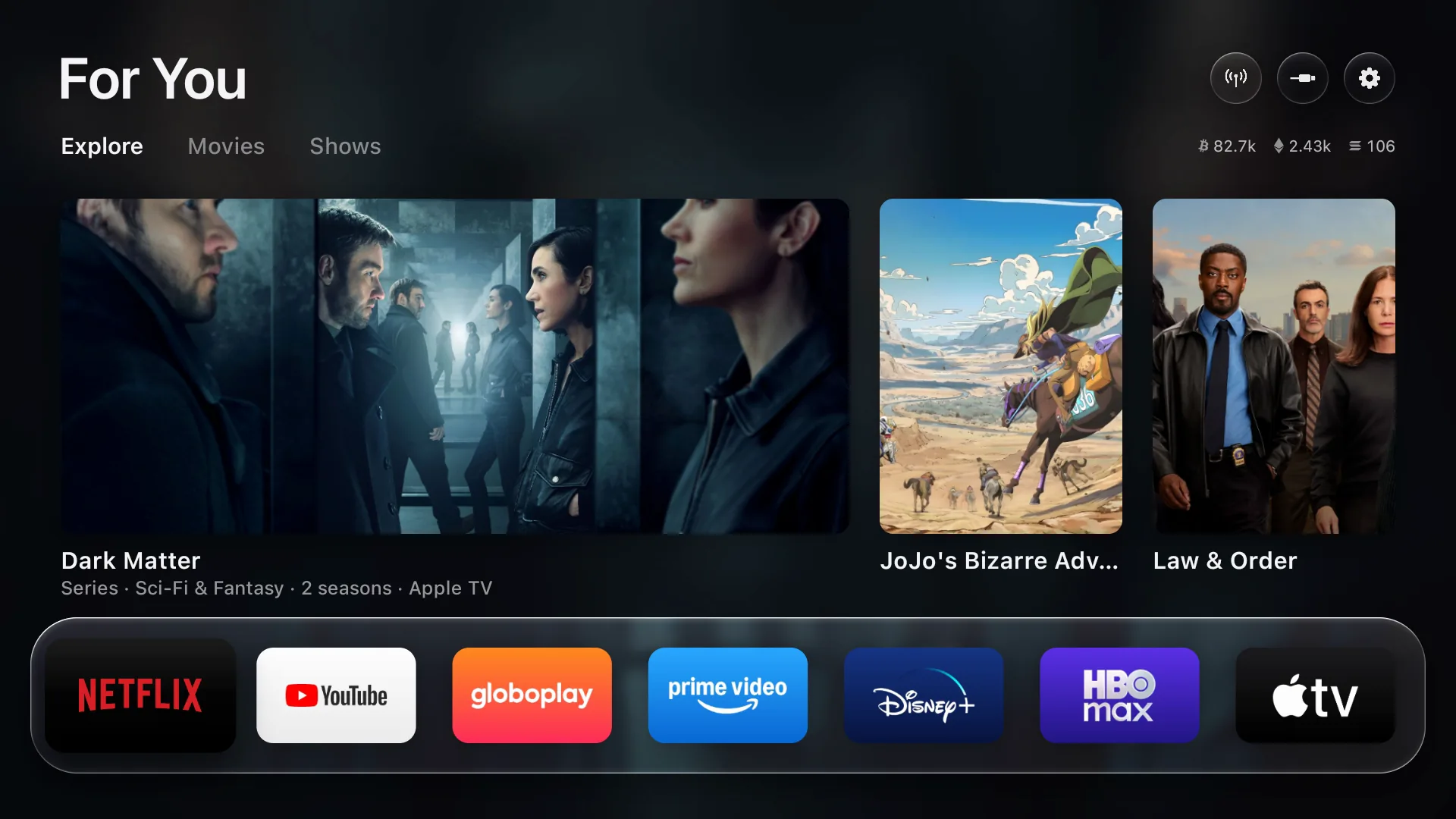
Your apps, front and center.
The streaming apps you actually use, on a glass shelf that comes alive under the remote. No rows of promos, no autoplaying ads, nothing you didn't ask for.
 Free My TV
Open source · Google TV, Android TV, LG & Samsung
Swap the ad-filled home screen for a fast, clean one. Trending picks from your own apps, the weather at a glance, and a look that follows the sunset. One button to undo.
Built with Claude Code · MIT license
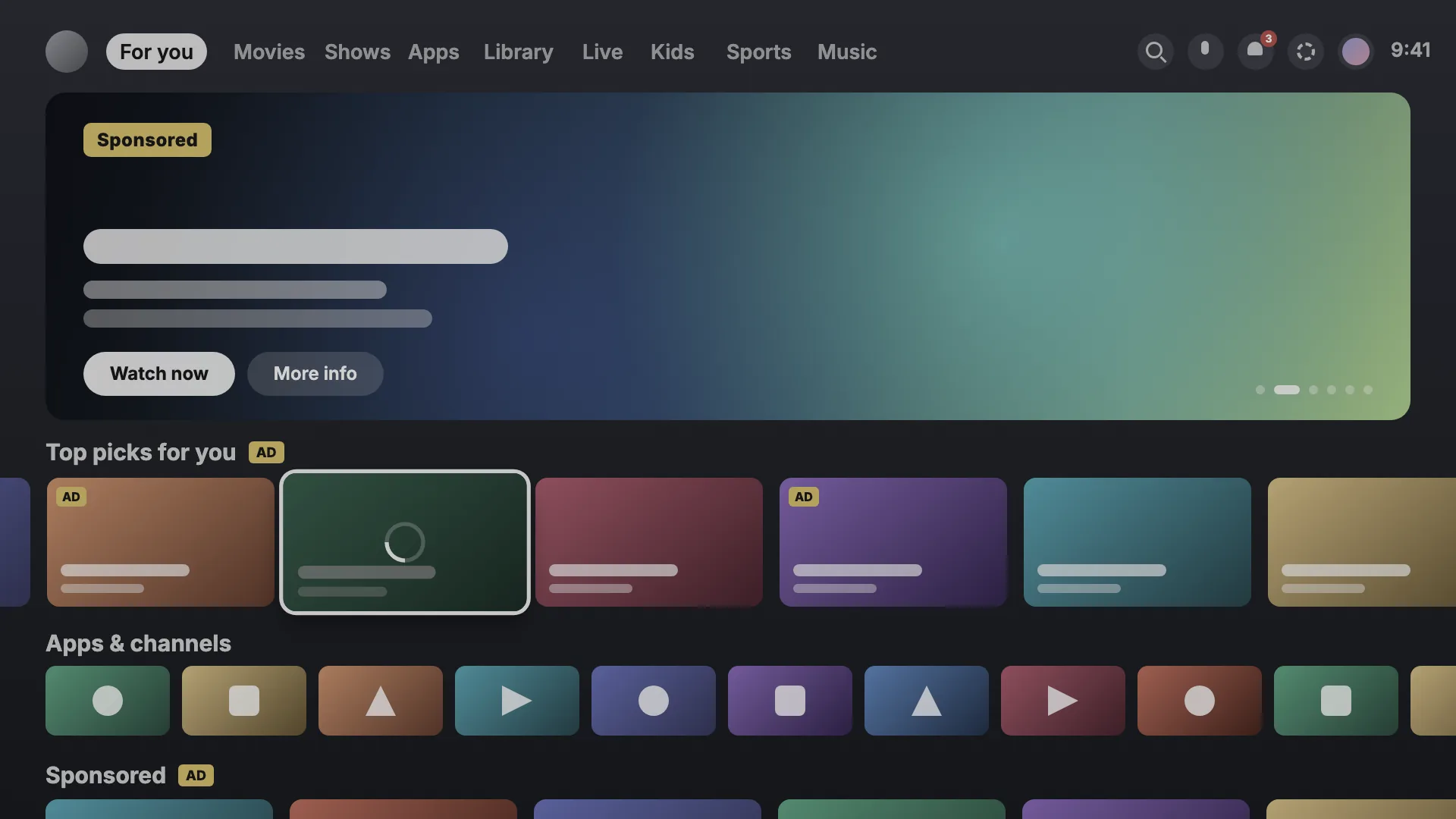
Before → after
Drag to compare. Same TV, same apps, minus the sponsored rows.
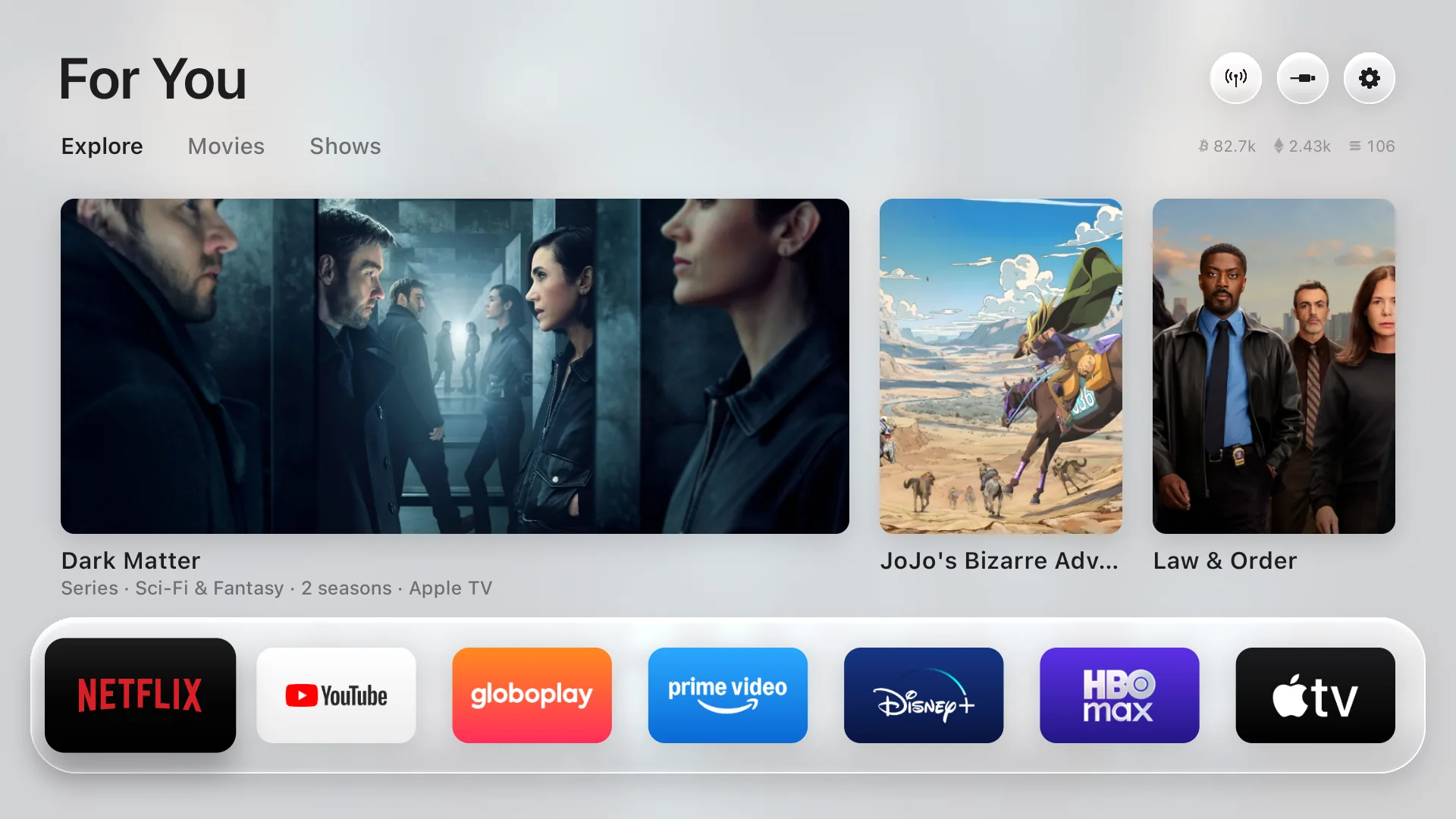
Home
The streaming apps you actually use, on a glass shelf that comes alive under the remote. No rows of promos, no autoplaying ads, nothing you didn't ask for.
Picks
Three fresh picks every hour from what's trending this week and the latest releases, only from apps you already have. Movies and shows have their own tabs. Powered by TMDB.
Speed
Press down for the hour-by-hour forecast, sunrise and sunset, and live crypto prices. The drawer slides in at 60 frames per second, every frame on time, on the TV's own modest chip.
5:20 PM · your city's real sunset
Free My TV follows the real sunset where you live and eases into a darker look, the way your phone does. No setting to touch.
Measured on a real TV
A 98″ TCL Google TV running Android 14, stock home screen vs. Free My TV.
Every frame in 16.6 ms, on the TV's own GPU.
No sponsored banners, rows or promos. Not a single one.
How it works
Turn on developer options and accept the "Allow USB debugging?" prompt on the TV. That's the only permission it needs.
Through the TV's own ADB (localhost, nothing leaves the TV) it becomes the home screen and screensaver, and turns off the stock launcher plus a short list of promo apps. Nothing is uninstalled.
One button brings back the factory home screen, screensaver and every app. If something ever goes wrong, it switches back by itself.
Install
Free, open source and easy to undo.
git clone https://github.com/simbasjungles/free-my-tv && cd free-my-tvInstall Free My TV on my TV at 192.168.1.50. I live in Lisbon.brew install --cask temurin android-commandlinetools android-platform-tools && sdkmanager "build-tools;34.0.0" "platforms;android-34"git clone https://github.com/simbasjungles/free-my-tv && cd free-my-tv && ./build.shadb connect 192.168.1.50:5555 && adb install -r FreeMyTV.apkadb shell "appops set io.freemytv AUTO_START allow || appops set io.freemytv APP_AUTO_START allow"git clone https://github.com/simbasjungles/free-my-tv && cd free-my-tv && python3 webos/build.pypython3 webos/install.py 192.168.1.50simbasjungles/free-my-tvCompatibility
Runs right on Google TV and Android TV sets, and on LG and Samsung TVs. Any other TV gets it through a Google TV streamer plugged into HDMI.
Different brand or model? Ask Claude: it reads your TV and adapts Free My TV to it, from the home screen it replaces to the apps it tidies up.
FAQ
It uses the same commands as Android's own developer tools, from inside the TV. Nothing is rooted or uninstalled: apps are only turned off and come back with one button. Picture, sound, inputs, the remote, Google services and the Play Store are on a never-touch list.
Open Free My TV → Home Screen → Original. The factory home screen, screensaver and every app come back exactly as they were. If the new home screen ever crashes three times in five minutes, it switches back on its own.
No. Picture settings aren't touched, and videos play through the same hardware path. We measured the same resolution and the same video source in both modes.
The stock home screen and screensaver (replaced), Google TV's recovery home, Play Games and YouTube Music, and on TCL TVs the TCL Channel, messages, store demo, hotel menu, manuals, mirroring and logging apps. Google Assistant only if you ask for it in the config.
Yes. On LG it installs through LG's own Developer Mode, with nothing rooted or changed on the TV, and it opens with one press of a number key. Same home screen, same picks, weather and prices. Press EXTEND in the Developer Mode app once a month to keep it.
Yes, on Samsung TVs from 2017 on. It installs through Samsung's own Developer Mode with TizenBrew Installer, the community's installer, with nothing rooted or changed on the TV. Same home screen, weather and prices, with your city from the TV's time zone. For the trending picks, Claude Code builds it with your free TMDB key.
That's the idea. Open the folder in Claude Code and just ask: "add Crunchyroll to the shelf", "show prices in euros", "set it up for my Sony". It changes the code, rebuilds the app and puts it on your TV.
English, Spanish, Portuguese and Russian, plus German on Google TV, following the TV's language, or the one you pick in its settings. Want another one? Ask Claude to add it.
No accounts, no analytics, no tracking. It only talks to TMDB (picks), Open-Meteo (weather, for your city) and Binance (prices).
Yes. MIT license, and the TMDB key is free too.
Open source, ten minutes, one button to undo.